
Know the property and the equipment
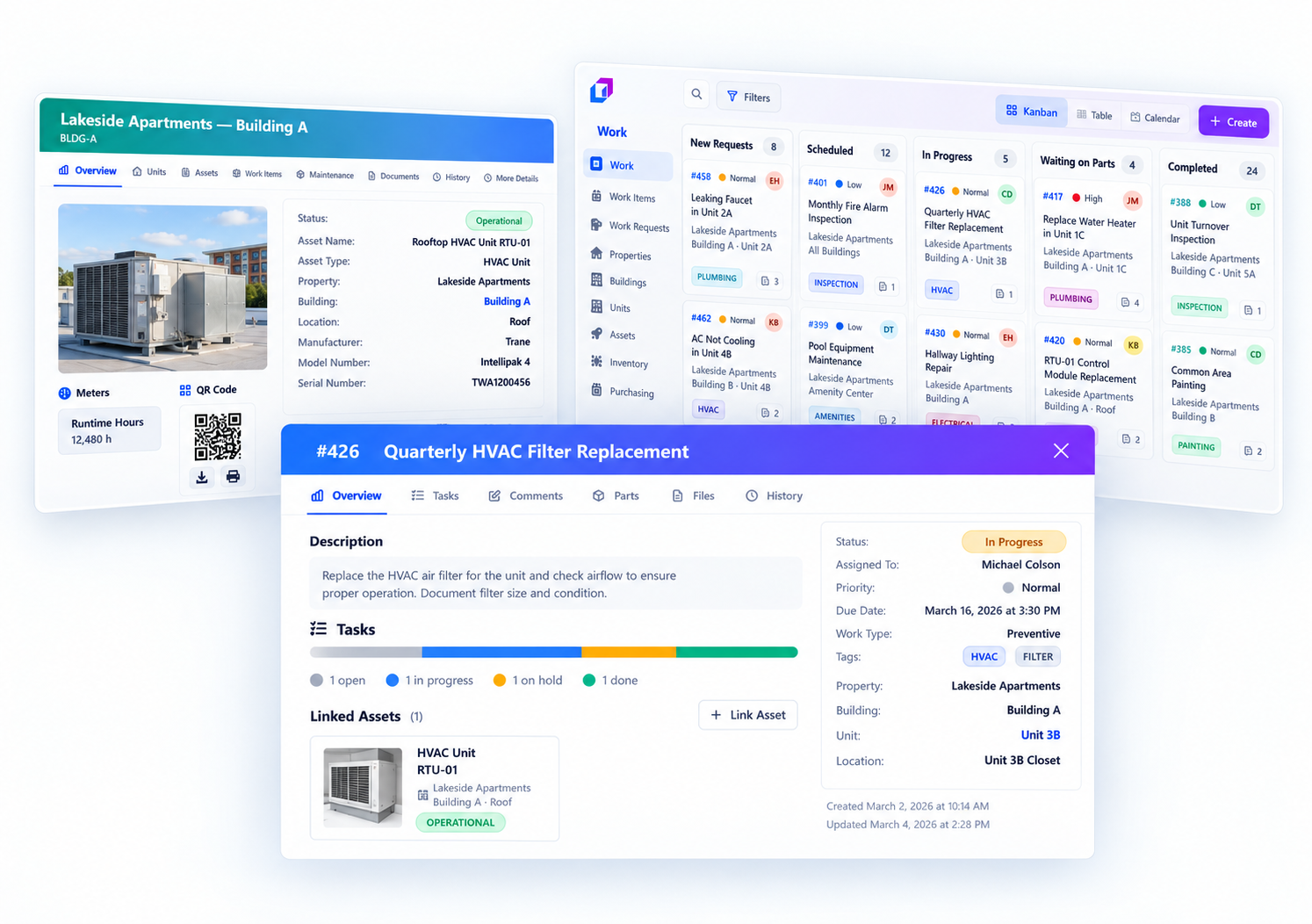
Keep unit and asset details, service history, manuals, and notes easy to find when work comes in.
UpFix for property management
Guest reports, cleaner notes, owner messages, and contractor updates can quickly become a second job to reconcile. Give every issue one place to land, one clear owner, and a visible path to completion.
Start with one property or organize work across multiple sites.
Free includes Work Items (including maintenance work orders) and basic procedures within its capacity limits. Recurring maintenance automations require Team or Pro. Inventory, purchasing, analytics, the UpFix Assistant, and multiple sites require Pro. Compare capabilities and limits.
When work lives in too many places
As a portfolio grows, it gets harder to remember what happened in each unit, who is handling an issue, and what should be checked before the next busy season.
Messages from guests, cleaners, and owners are easy to miss or duplicate.
Without a record by property and unit, the same appliance or HVAC issue starts from scratch each time.
Seasonal HVAC checks, smoke detectors, leaks, and appliance inspections compete with urgent fixes.
Manual contractor handoffs and loosely tracked filters, lock batteries, and appliance parts leave managers chasing updates or facing stockouts.
A practical workflow for every property
Keep the handoffs clear, whether the issue is a leaking sink, a recurring HVAC failure, or a seasonal inspection.
Bring incoming work requests into a shared queue instead of relying on separate chats and inboxes.
Organize properties, units, and equipment so service notes and history stay with the right record.
Set priority, an owner, and a due date. Keep status, updates, files, and parts used together through closeout.
Schedule recurring maintenance and use procedures to make seasonal and safety work more consistent.
One operating view
Keep unit and asset details, service history, manuals, and notes easy to find when work comes in.
Schedule preventive work for HVAC, appliances, safety equipment, and other high-priority items. Add procedures to guide the work.
Assign work to the right team member, track contractor follow-up, and see what is still open or overdue.
Track HVAC filters, lock batteries, thermostat covers, and appliance parts. Link parts used to work items and keep stock levels visible so managers can spot gaps before the next repair.
Get started without boiling the ocean
A clearer way to manage the work
Use UpFix to organize requests, assets, recurring work, and follow-through as your portfolio grows.